What Should UAE Law Firms Look for in Case Management Software?
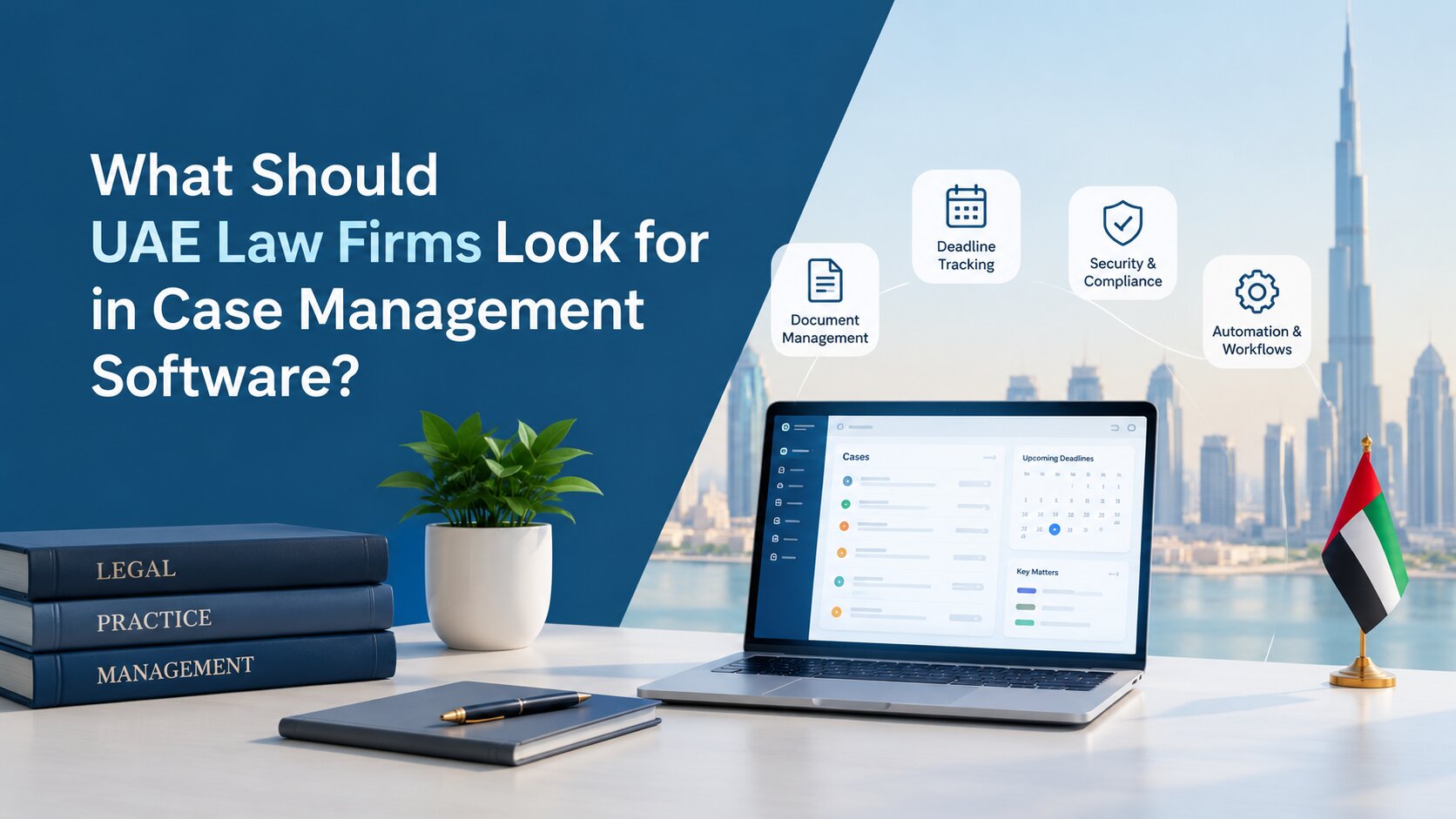
For a growing law firm, keeping track of cases through spreadsheets, email threads and separate folders can quickly become difficult. Important documents may be stored in different places, deadlines can depend on manual reminders, and lawyers may spend more time searching for information than working on the matter itself.
Legal case management software brings these activities into a central system. But choosing the right platform is not simply about finding the one with the most features. A system needs to fit the firm's actual workflows, security requirements, client communication processes and financial operations.
For UAE law firms, there are also local considerations to think about, including Arabic and English support, data protection, AED and VAT handling, court-related workflows and data hosting.
This guide explains the key features and requirements to evaluate before choosing case management software for a UAE law firm.
1. Core Case and Matter Management
The starting point for any legal case management system is simple: can your team manage every matter clearly from one place?
Centralised Matter Management
A centralised matter database gives lawyers and support staff one place to find important case information. This can include client details, opposing parties, matter type, jurisdiction, assigned lawyers, status and key dates. Without a central system, this information can become scattered across spreadsheets, email inboxes and shared folders. As the number of matters grows, finding the latest information becomes increasingly time-consuming.
For firms evaluating their options, best matter management software in the UAE for law firms and legal teams can help teams understand the key features and considerations when selecting a suitable platform.
A good platform should allow users to search, filter and organise matters without having to navigate through multiple systems. It should also make it easy to see the relationship between a client and their active and closed matters.
Case Tracking and Status Management
Case tracking helps teams understand where each matter currently stands. Look for features that allow users to create matters, assign them to lawyers, update their status and filter cases according to different criteria. A firm may, for example, want to see all active litigation matters, cases assigned to a particular lawyer or matters approaching closure.
For a closer look at the issues firms can face with case tracking, see case tracking challenges UAE law firms face and the digital solutions that can address them.
The ability to create different matter types and workflows can be useful as well. A litigation matter may require a very different process from a corporate advisory matter, so the system should provide enough flexibility to reflect those differences.
Deadlines, Hearings and Court Dates
Legal work is deadline-driven. Missing a hearing, filing date or internal follow-up can create unnecessary risk for a firm. Case management software should therefore make it easy to record court dates, hearings, filing deadlines and other important events. Automated reminders can then alert the relevant team members before an action is due.
Some platforms also support rules-based deadline calculations. This can reduce manual work, but firms should verify that the rules and calculations actually match the procedures relevant to their practice rather than assuming every legal deadline is automatically covered.
Role-Based Access and Audit Trails
Not everyone in a law firm needs access to every matter. Role-based access allows administrators to control what different users can view, edit or manage. A partner, lawyer, finance employee and administrative user may need different levels of access. An audit trail adds another layer of accountability by recording important actions within the system, such as changes to case information or user activity.
For firms handling confidential client information, these controls should be part of the initial software evaluation rather than an afterthought.
2. Document Management and Client Collaboration
Documents are at the centre of legal work. A case management system should make them easier to organise, find and share securely. Learn how law firms are using technology to improve case and document management to see how technology can support these processes.
Secure Document Management
A secure document repository allows firms to keep matter-related files alongside the relevant case information. Instead of searching through an email inbox or a shared drive, users can open a matter and access its associated documents from the same system. When evaluating a platform, ask how documents are protected, who can access them, how backups are handled and what happens to data when a user leaves the organisation.
Version Control and Document Templates
Several people may work on the same document during the life of a matter. Without version control, it can become difficult to tell which copy is the latest. Version control helps teams keep track of changes and reduces the risk of someone accidentally working on an outdated document. Templates can also save time. Firms frequently prepare similar letters, forms, agreements and other documents. A system that supports reusable templates can help standardise these documents and reduce repetitive work.
Client Portals and Secure Communication
Clients increasingly expect convenient ways to access information and communicate with their lawyers. A secure client portal can provide controlled access to documents, updates and other relevant information without relying entirely on email attachments. This can also make communication easier to organise. Instead of important information being buried in long email conversations, relevant messages and documents can remain connected to the matter.
The exact communication features will vary between platforms, so firms should test them using realistic client scenarios.
Email, WhatsApp and Office Integrations
Email remains a major part of legal work, which makes integration with tools such as Outlook and Gmail particularly useful. Some platforms also support communication channels such as WhatsApp. Where this is available, firms should examine how messages are captured, secured and associated with matters.
The goal is not simply to have more integrations. The integration should reduce duplicate work and make it easier for lawyers to keep a complete record of matter-related communication.
3. Calendaring, Tasks and Workflow Automation
A case management system should help lawyers stay on top of what needs to happen next, not just show them what has already happened.
Legal Calendaring and Deadline Reminders
A legal calendar can bring hearings, filing dates, meetings, renewals and internal deadlines together. Automated reminders are especially useful when several people are working on the same matter. Instead of depending on one person to remember an upcoming deadline, the system can notify the responsible team member.
When comparing platforms, firms can also review tips for selecting the right software for a lawyer's office to understand other factors worth considering during the selection proce
Firms should also check whether calendar events can be linked directly to matters and whether users can synchronise them with their existing calendar applications.
Task Assignment and Tracking
Tasks need clear ownership. A useful system should allow managers or lawyers to assign tasks, set due dates, add priorities and monitor completion. For example, a new matter might require document collection, KYC checks, drafting, review and filing.
Having these actions recorded in the case management system gives the team a clearer view of what has been completed and what still needs attention.
Automated Legal Workflows
Workflow automation can turn repeatable legal processes into defined steps. For example, opening a particular type of matter could automatically create a standard sequence of tasks. Firms exploring how automation is changing legal workflows can also read The Future of Legal Workflows: Why AI Will Replace 40% of Routine Tasks by 2030 for a broader look at the role of AI in routine legal work.
Client intake → KYC → document collection → lawyer assignment → drafting → review → filing → follow-up
This does not mean every case should be handled in exactly the same way. Good workflow tools should allow firms to standardise routine processes while still giving lawyers room to handle matters that require individual judgment.
Mobile Access for Lawyers
Legal work does not always happen at a desk. Mobile or responsive access can allow lawyers to check matter information, review tasks, update case details or view upcoming hearings while travelling or attending meetings. When evaluating mobile access, test the actual experience rather than simply asking whether a vendor offers a "mobile-friendly" platform.
4. Time Tracking, Billing and Financial Management
A case management system can also connect legal work with the firm's financial processes.
Time and Expense Tracking
Time tracking allows lawyers to record the hours spent on a particular matter. The system should ideally support both billable and non-billable time. Expense tracking is similarly useful when firms need to associate costs with individual matters. A good system should make time entry straightforward. If recording time becomes too complicated, lawyers may delay or skip it, reducing the accuracy of financial reporting.
Invoicing and Payment Tracking
Once time, fees and expenses are recorded, the system can help generate invoices and track payments. Look for features that show outstanding balances, invoice status and payment history by client or matter. Client statements can also provide a clearer view of what has been billed and what remains outstanding.
Trust Accounting
Firms that manage client funds should pay particular attention to trust accounting capabilities. Rather than assuming that a general billing module is sufficient, ask the vendor to demonstrate how client funds, balances, transactions and reporting are handled. If trust accounting is important to the firm, the software should be assessed against the firm's actual accounting procedures and professional obligations.
AED, VAT and Multi-Currency Support
For UAE firms, financial software should support AED and the firm's invoicing requirements. The UAE's standard VAT rate is currently 5%, according to the Federal Tax Authority. Firms should therefore check whether the system can correctly handle VAT calculations, tax information and reporting requirements relevant to their business. Multi-currency support may also be useful for firms working with international clients or cross-border matters.
5. Analytics and Reporting
Once case, task and financial information is captured in one system, firms can use it to understand how their practice is operating.
Matter and Case Dashboards
A dashboard can provide an overview of active matters, upcoming hearings, overdue tasks and other important information. Instead of manually collecting information from different spreadsheets, partners and managers can get a quicker view of the firm's workload.
Custom Legal Reports
Different firms need different reports. One firm may want to track matter volumes by practice area, while another may need to monitor workload by lawyer or identify cases that have been open for a certain period. Custom reporting gives firms more flexibility than a fixed set of standard reports.
Financial and Billing Reports
Financial reports can help management understand billing activity, outstanding payments, recorded time and matter-related expenses. Depending on the system, firms may also be able to compare billable time with actual collections and identify areas that need attention.
Audit and Access Reports
Audit and access reports can help firms understand who has accessed or changed information. These reports can support internal reviews and security monitoring. They can also be useful when a firm needs to investigate an unusual change or confirm how information was handled.
6. Integrations, Security and Deployment
The best case management platform will not operate in isolation. It should work alongside the tools the firm already uses.
Microsoft 365, Outlook and Gmail Integration
Lawyers often spend much of their day in email and calendar applications. Integration with Microsoft 365, Outlook or Gmail can reduce the need to manually copy emails, contacts and calendar information into a separate system. Before purchasing, ask the vendor to demonstrate exactly what is synchronised and whether the integration works in both directions.
Document Management Integrations
Some firms already use SharePoint or another document management system. If that is the case, check whether the case management platform can integrate with the existing environment. Migrating everything into a new system may not always be necessary or practical.
Single Sign-On and Access Management
Single sign-on, or SSO, allows users to access supported applications through an existing organisational login. For larger firms, this can make account management easier and reduce the number of separate passwords employees need to maintain. It can also help administrators manage access when employees join, change roles or leave the organisation.
Cloud vs On-Premise Deployment
Cloud deployment can reduce the need for firms to maintain their own hardware and infrastructure. Updates, backups and technical maintenance may also be managed by the provider, depending on the service arrangement.
On-premise deployment gives an organisation greater control over where the software and associated data are hosted, but it also places more responsibility for infrastructure and maintenance on the organisation. Firms that have stricter requirements around data control can also explore secure on-premise AI for legal teams and how private deployment can support sensitive legal workflows.
Neither option is automatically right for every firm. The decision should consider security requirements, IT resources, client requirements, data governance and the firm's long-term plans.
Data Hosting and Portability
Ask where the firm's data will be stored and who will have access to it. Data portability is equally important. A firm should understand whether it can export its information in a usable format if it changes providers in the future. This is particularly important when case management software becomes the main repository for years of client and matter information.
Mobile and Remote Access
Hybrid and remote working make secure access increasingly important. Firms should check whether lawyers can access the system securely outside the office and what controls are used to protect remote sessions.
It is also worth asking how access is managed from personal devices and what happens if a device is lost.
7. UAE-Specific Considerations for Law Firms
A platform can have strong general legal features and still not be the right fit for a UAE practice. Local requirements deserve their own evaluation.
Arabic and English Language Support
Many UAE law firms work across Arabic and English documentation. When assessing bilingual support, look beyond the language selector. Check whether the system supports Arabic throughout the user interface, documents, templates and relevant communications.
Right-to-left text support is also important when working with Arabic content. A bilingual system can reduce the need to move information between separate tools simply because a document or user requires another language.
UAE Data Protection and Client Confidentiality
Legal systems contain highly sensitive information, so security and privacy should be central to vendor evaluation. The UAE's Federal Decree-Law No. 45 of 2021 establishes a federal framework for personal data protection. The UAE Government lists this law among its cyber and data-related legislation.
For law firms, the practical question is how a software provider protects information. Ask about encryption, user permissions, audit logging, backups, retention, data access and incident response. A vendor's statement that its platform is "PDPL compliant" should not replace a proper review of the controls and contractual arrangements that apply to the firm's specific use case.
Firms operating in jurisdictions such as the DIFC or ADGM should also consider the data protection rules applicable to those entities and activities.
Court Processes, Hearings and E-Filing
Court processes can differ between jurisdictions, so firms should check whether the software supports the procedures they actually follow. The system should make it easy to record hearings, deadlines, filings and follow-up actions. If e-filing integrations are available, verify which courts and services they actually support.
It is better to test this with a real example from the firm's workflow than to rely on a general feature description.
AED, VAT and Local Business Requirements
Financial functionality should reflect the firm's UAE operations. The system should support AED, appropriate VAT handling and the firm's invoicing requirements. The UAE's standard VAT rate is 5%, although individual transactions can have different VAT treatment depending on the applicable rules.
Firms operating across multiple jurisdictions may also need multi-currency billing and reporting.
Data Hosting and Local Vendor Support
Where data is hosted can matter for contractual, security and governance reasons. Ask the provider where data is stored, what controls apply to the hosting environment and whether data can be transferred or exported when required. Local support can also make implementation easier. Firms should look at support hours, response times, implementation assistance and whether the provider understands the working environment of UAE legal teams.
8. Implementation and Vendor Evaluation
Selecting software is only part of the process. A platform still needs to be implemented successfully across the firm.
Ease of Implementation and User Adoption
If the software is difficult to use, lawyers may continue relying on their old spreadsheets and email processes. Look for a clear interface and workflows that make sense to the people who will use the system every day. A vendor demonstration should involve actual users, not only IT or management. Ask lawyers and support staff to test common tasks and provide feedback.
Data Migration
Moving existing information can be one of the most difficult parts of a software change. Ask the vendor what information can be migrated from spreadsheets, databases or an existing case management system.
Important questions include:
- What data can be migrated?
- Who cleans and prepares the data?
- Are documents included?
- How is duplicate information handled?
- How is migrated data checked?
- Is migration included in the implementation cost?
Workflow Customisation
Every law firm has its own processes. A useful platform should allow reasonable customisation of matter types, fields, workflows, permissions and reports without requiring extensive development for every change.
The aim is to fit the software to the firm's processes while avoiding unnecessary complexity.
Training and Customer Support
Training should cover more than the basic features demonstrated during a sales presentation. Ask whether the vendor provides onboarding, user training, documentation and ongoing support.
It is also worth understanding how support requests are handled after implementation. A dedicated support process can make a significant difference when the firm encounters an issue during day-to-day use.
Pricing and Total Cost of Ownership
The cheapest subscription is not necessarily the cheapest system to operate.
Look at the complete cost, including:
- User licences
- Implementation
- Data migration
- Training
- Storage
- Integrations
- Customisation
- Support
- Additional modules
- Future upgrades
This gives the firm a clearer picture of the total cost of ownership rather than focusing only on the advertised subscription price.
Product Roadmap and Future Updates
Legal technology continues to evolve, particularly around automation, analytics and AI. Ask vendors how frequently they release updates and how new capabilities are introduced. It is also useful to understand whether existing customers receive new features as part of their subscription or whether additional charges apply.
The goal is not to choose a platform simply because it has the newest technology. It is to choose one that can continue supporting the firm's needs as those needs change.
Conclusion
Choosing case management software is ultimately about finding a practical fit for the firm's people, processes and clients.
For UAE law firms, the evaluation should cover more than basic case tracking. Document management, deadlines, workflows, billing, reporting, integrations and security all need to work together. At the same time, local requirements such as Arabic and English support, UAE data protection considerations, AED and VAT handling, court workflows and data hosting should not be overlooked.
A useful way to compare providers is to create a list of essential requirements before starting vendor demonstrations. Then ask each provider to show how its software handles the same real-world scenarios.
That approach makes it easier to compare platforms based on how they would actually work inside the firm, rather than simply comparing feature lists.
Find the Right Legal Case Management Software for Your UAE Law Firm
Your case management system should make legal work easier to organise, not add another layer of administration.
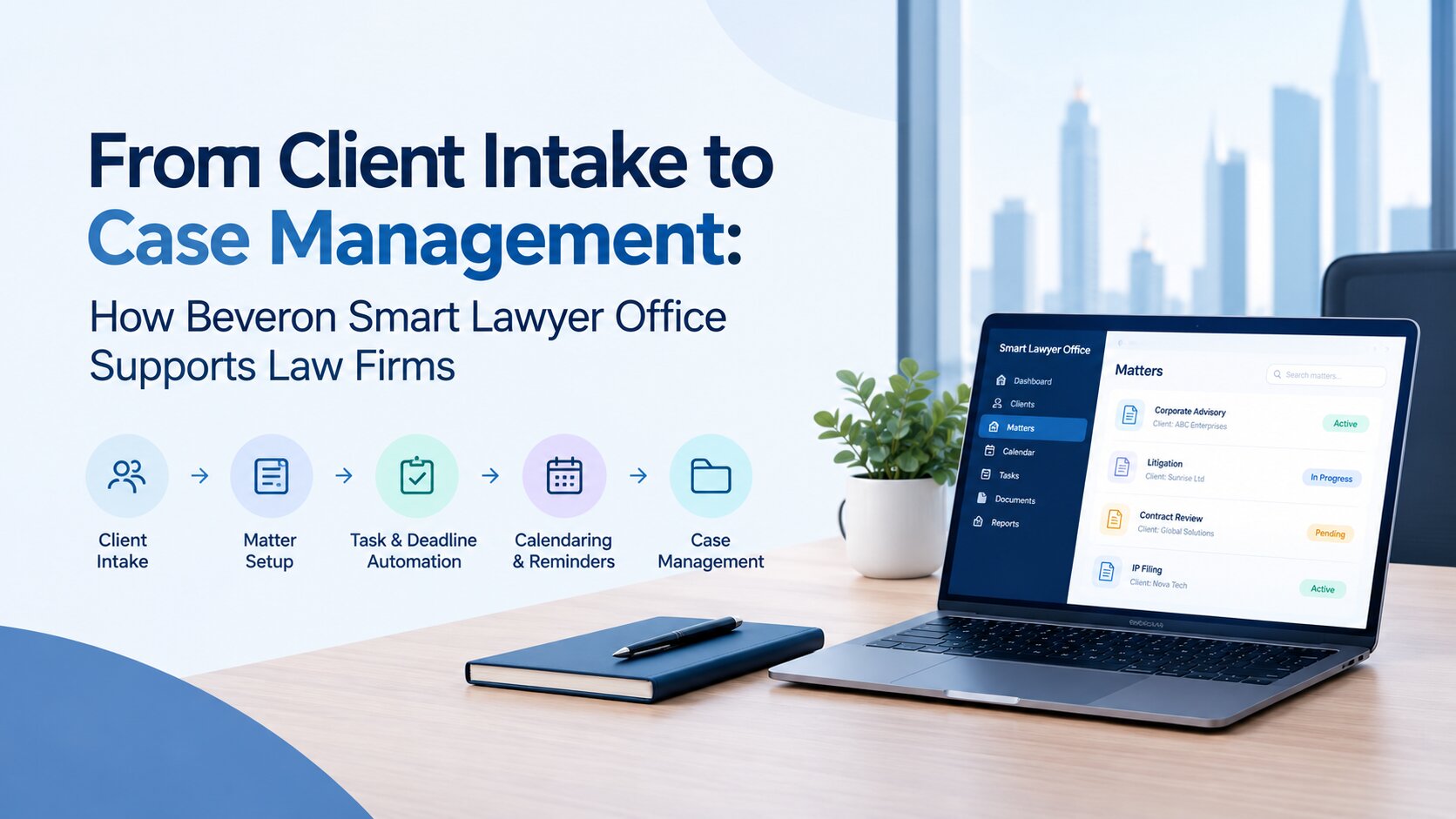
If your UAE law firm is looking for one platform to manage matters, documents, hearings, tasks, client communication and financial processes, explore Beveron's Smart Lawyer Office to see how it can support your firm's day-to-day operations.
Book a personalised demo and see the platform in action using workflows that match your firm's requirements.
Frequently Asked Questions
1. What is legal case management software?
Legal case management software is a central system that helps law firms manage matters, clients, documents, deadlines, hearings, tasks, communications and financial information. It brings information together so teams can spend less time searching across separate spreadsheets, folders and email accounts.
2. What features should UAE law firms look for in case management software?
UAE law firms should consider matter and case tracking, secure document management, deadline and hearing management, task automation, billing, reporting, client communication, access controls and integrations. Local considerations such as Arabic and English support, UAE data protection requirements, AED and VAT handling, court workflows and data hosting should also be evaluated.
3. Is cloud-based case management software secure for UAE law firms?
Cloud-based software can provide strong security when appropriate safeguards are in place. Firms should assess encryption, access controls, authentication, audit logs, backups, data retention, hosting arrangements and incident response. They should also review the vendor's contractual and privacy terms against their own legal and client confidentiality requirements.
4. Does legal case management software support Arabic?
Some legal case management platforms support both Arabic and English. When evaluating a system, firms should check whether Arabic support covers the interface, documents, templates and communications, as well as right-to-left text. Basic translation of menus alone may not be enough for a bilingual legal practice.
5. How much does legal case management software cost in the UAE?
There is no single standard price. Cost depends on the number of users, modules, deployment model, storage, integrations, implementation, data migration, customisation, and support. Firms should compare the total cost of ownership rather than looking only at the monthly or annual licence price.
Can legal case management software integrate with Microsoft 365 and other legal tools?
Many modern platforms offer integrations with tools such as Microsoft 365, Outlook, Gmail and document management systems. However, the level of integration varies. Before choosing a platform, ask the vendor to demonstrate exactly how emails, calendars, documents, and other information sync with the firm's existing tools.
Best case management software for law firms in the UAE
Best law firm case management software in the UAE
Best law firm management software in the UAE
If you need a free demo of the best case management software for law firms in the UAE, please fill out the form.