Essential Features to Look for in Law Firm Management Software in Saudi Arabia

Running a law firm involves much more than handling legal cases and advising clients. Lawyers and legal teams must also manage client information, organise documents, coordinate court hearings, monitor deadlines, assign responsibilities and keep track of billing activities. As a firm grows, managing these responsibilities through separate spreadsheets, email conversations and shared folders can become increasingly difficult. Information may be scattered across different systems, making it harder for lawyers and administrative teams to maintain a clear picture of ongoing work.
For law firms in Saudi Arabia, choosing the right technology is an important part of improving day-to-day operations. A suitable law firm management system can bring different activities together, helping legal professionals manage their work with better visibility and coordination. However, not every software solution offers the same capabilities. Some focus mainly on case tracking, while others provide a broader range of tools for client management, document organisation, billing, workflow automation and reporting.
Before selecting a solution, law firms should understand which features will genuinely support their practice. The right software should address current operational requirements while providing enough flexibility to accommodate future growth. Here are the essential features to consider when evaluating law firm management software in Saudi Arabia.
1. Centralised Case and Matter Management
Case and matter management is one of the most important capabilities of any law firm management system. Legal professionals regularly handle multiple matters, each involving different clients, documents, communications, deadlines and assigned team members. When this information is maintained across separate spreadsheets or folders, finding the latest case details can take unnecessary time and create confusion among team members.
A centralised case management system provides a single location for organising legal matters and their associated information. Lawyers can maintain client details, case references, matter descriptions, important dates, documents and activity records within an organised case file. This makes it easier to understand the current status of a matter without searching through multiple systems or relying on individual team members for updates.
The ability to assign matters to specific lawyers and monitor their progress is equally important. Partners and supervising lawyers can see who is responsible for a particular case, what activities have been completed and which tasks still require attention. This becomes particularly useful for firms handling litigation, corporate legal matters, advisory work and multiple client engagements simultaneously. When evaluating software, check whether its case management capabilities support the different types of legal work your firm handles rather than offering only basic case registration and tracking.
2. Court Hearing and Deadline Management
Legal work depends heavily on dates and deadlines. Court hearings, filing schedules, client meetings, document submissions and other important activities must be coordinated carefully. Missing an important date can create complications for a legal matter and affect the firm's ability to serve its clients effectively.
Law firm management software should provide a structured way to record and monitor hearings, deadlines and scheduled activities. A central calendar allows legal teams to view upcoming commitments, while automated reminders help lawyers prepare for important events in advance. Instead of depending entirely on personal calendars or manually maintained spreadsheets, teams can access relevant schedules through a shared system.
It is also useful to have a clear timeline of activities associated with each matter. Lawyers should be able to review previous hearings, upcoming dates, completed tasks and pending actions without having to search through separate records. When several lawyers work on the same matter, this visibility helps everyone stay informed about important developments. For Saudi law firms, it is worth checking whether the software can accommodate local working schedules, relevant calendar requirements and the firm's internal hearing and filing procedures.
3. Document Management and Secure Storage
Documents are central to almost every legal activity. A single matter may involve agreements, court submissions, evidence, correspondence, client identification documents, legal opinions and supporting records. As the number of matters increases, maintaining these files in an organised manner becomes more challenging, particularly when documents are exchanged through email or stored across different folders.
A good law firm management system should provide centralised document management, allowing authorised users to store, organise, retrieve and associate files with the relevant clients or matters. Lawyers should be able to find the documents they need without spending time searching through unrelated folders. Organised file structures and clear document references also make it easier for other authorised team members to understand the history of a matter.
Version control is another important consideration. Legal documents frequently undergo revisions before they are finalised, and teams need to distinguish between earlier drafts and approved versions. Software that supports document version tracking can reduce confusion and help prevent outdated files from being used accidentally. Secure sharing and access permissions are equally valuable because not every employee should have unrestricted access to every client file. When comparing solutions, look for document management capabilities that support confidentiality, easy retrieval and controlled collaboration.
4. Arabic and English Language Support
Language support deserves particular attention when selecting law firm management software in Saudi Arabia. Legal firms may communicate with clients, business partners and other stakeholders in both Arabic and English. Depending on the nature of the practice, legal teams may also need to manage records, correspondence and supporting documents in either language.
Bilingual functionality can make the software more accessible to different users within the organisation. Lawyers and administrative staff should be able to work comfortably with the system without facing unnecessary language barriers. This is especially important when multiple departments or team members are involved in maintaining client records and updating matter information.
However, language support should not be evaluated only by checking whether the interface offers an Arabic translation. Firms should also understand how the software handles Arabic text, document storage, search functionality and right-to-left display requirements. If legal teams regularly work with Arabic and English documents, the ability to organise and retrieve information in both languages can make everyday activities considerably easier. During a product demonstration, test these functions using the types of documents and records your firm handles regularly.
5. Client Intake, KYC and Client Management
A well-organised client management process begins before a legal matter is formally opened. Law firms need to collect client details, understand the nature of the legal requirement, maintain relevant identification records and organise the information needed to establish a professional relationship. When these activities are handled manually, important information can be missed or recorded inconsistently.
Client intake functionality helps firms maintain structured records from the beginning of the relationship. A suitable system should allow teams to capture contact information, record initial enquiries, organise client documents and maintain relevant details within a centralised profile. Once a matter is opened, the associated information should be accessible to authorised team members without requiring repeated data entry.
KYC processes are another consideration, particularly when firms need to collect and maintain client identification and verification information as part of their applicable procedures. Software should help organise the required records and make them easier to retrieve when necessary. It is important, however, to distinguish between software that stores and tracks KYC information and a system that independently performs regulatory verification. Firms should confirm that their chosen solution supports their actual onboarding and compliance workflows.
Beyond initial onboarding, client management should provide visibility into ongoing communication and related matters. Lawyers should be able to understand which services a client is receiving, which matters are active and what interactions have taken place. This helps maintain continuity when different members of the legal team are involved in the same client relationship.
6. Legal Workflow Automation and Task Assignment
A considerable amount of time in law firms is spent on activities that follow similar steps across different matters. These may include assigning tasks, requesting documents, preparing routine communications, updating case records and following up on pending actions. When every activity depends on manual coordination, lawyers and administrative teams may spend more time managing processes than progressing their actual legal work.
Workflow automation helps bring structure to these recurring activities. For example, when a new matter is created, the firm may need to assign responsibilities, set important dates and identify the documents required from the client. A system that supports configurable workflows can help teams follow a consistent process instead of relying on individual memory or informal instructions.
Task assignment is equally important. Partners and supervising lawyers should be able to distribute responsibilities among associates, paralegals and administrative staff based on the requirements of each matter. Team members should have visibility into their assigned activities, expected completion dates and outstanding work. Managers can then monitor progress and identify tasks that need attention.
When evaluating automation capabilities, focus on whether the software can accommodate your firm's actual working procedures. A system with practical workflow automation should reduce repetitive administrative effort without making legal processes unnecessarily complicated. The objective is not to automate every activity but to make routine coordination more consistent and manageable.
7. Billing, Timesheets and Financial Management
Financial management is another important part of running a law firm. Legal services may involve hourly billing, fixed fees, retainers, expenses and different payment arrangements depending on the client and nature of the engagement. When working hours and financial information are recorded separately, preparing invoices and reviewing matter-related costs can become time-consuming.
Law firm management software should ideally provide tools for recording billable and non-billable hours against relevant clients or matters. Timesheet functionality helps lawyers maintain accurate records of the time spent on research, meetings, drafting, consultations and other activities. This information can support more consistent billing and help partners understand how time is being allocated across the firm.
The system should also make it easier to prepare invoices, monitor payment status and review outstanding amounts. Having financial records associated with the relevant client or matter provides better visibility into the commercial side of legal work. Depending on the firm's requirements, expense tracking, fee arrangements and trust accounting capabilities may also be important. Firms should verify whether these functions are included in the software or require integration with a separate accounting platform.
8. Data Security, Access Control and Deployment Options
Law firms manage confidential information every day, including client identities, financial records, legal opinions, agreements and sensitive case documents. Protecting this information should be a priority when selecting law firm management software. A system may offer an extensive range of features, but those capabilities are only useful when the firm can manage access to information appropriately.
One of the first things to evaluate is role-based access control. Different employees have different responsibilities, and their access to client information should reflect those responsibilities. For example, a managing partner may need visibility across the firm's matters, while an associate may require access only to assigned cases. Administrative staff may need access to scheduling and client records without having unrestricted access to confidential legal documents. Software that allows permissions to be configured according to user roles helps firms maintain better control over their information.
Data backup, secure storage, access monitoring and recovery arrangements should also be considered. Firms should ask software providers how client information is protected, where data is hosted, how access is managed and what procedures are available in the event of a technical issue. They should also assess the provider's approach against applicable Saudi data protection and regulatory requirements rather than assuming that a software product automatically guarantees compliance.
Deployment options are another important factor. Some firms prefer cloud-based software because it provides remote access and reduces the need to maintain their own server infrastructure. Others may prefer an on-premise installation because of internal IT policies or specific data-handling requirements. The choice depends on the firm's infrastructure, security policies, resources and operational preferences. A good solution should make these options clear so that the firm can select an arrangement that suits its requirements.
9. AI Capabilities, Reporting and Performance Insights
Artificial intelligence is becoming an increasingly relevant part of legal technology. However, law firms should look beyond software that simply advertises AI capabilities. The more important question is whether those capabilities can support practical legal activities and reduce the time spent on repetitive work.
AI-assisted document analysis, summarisation and drafting can help lawyers work with large volumes of information more efficiently. For example, when reviewing lengthy case documents, a suitable AI tool may help summarise key information, identify relevant sections and organise material for further review. AI-assisted drafting can also support the preparation of routine documents, although lawyers should always review the output for accuracy, context and legal suitability before using it.
Workflow automation and intelligent assistants can provide additional value by supporting routine follow-ups, helping users retrieve information and reducing repetitive administrative activities. The extent of these capabilities varies between software providers, so firms should request practical demonstrations rather than relying solely on product descriptions. It is also important to understand how the system handles confidential information when AI features are used.
Reporting and performance dashboards are equally valuable. Managing partners need more than a list of active cases to understand how their firm is performing. They may want to review the number of ongoing matters, pending activities, lawyer workloads, billable hours and the progress of different assignments. A reporting system that brings these details together can help identify workload imbalances, recurring delays and areas that require additional attention.
The objective of using AI and analytics should be to support better legal work and management decisions. Technology should assist lawyers in reviewing information and organising their responsibilities, while professional judgement and accountability remain with the legal team.
10. Integration, Scalability and Ease of Use
Law firms rarely operate using a single digital tool. They may already rely on email platforms, document storage systems, video conferencing applications, accounting software and communication tools. Introducing new law firm management software should make these activities easier to coordinate rather than creating another disconnected system.
Integration capabilities are therefore worth examining before making a decision. For example, connecting email and calendar applications with the firm's management system can help organise client communication and scheduled activities. Document storage integrations can make it easier to access existing files, while connections with accounting or CRM platforms may reduce the need for repeated data entry. The specific integrations required will depend on the firm's existing technology environment.
Scalability is another consideration, particularly for firms expecting to expand their teams or caseloads. A system that works well for a small practice may become difficult to manage when the number of lawyers, clients and active matters increases. Before selecting software, consider how easily additional users can be accommodated, whether permissions can be adjusted and whether the platform can support more complex workflows as the firm grows.
Finally, pay attention to usability. Even a feature-rich system may deliver limited value if lawyers find it difficult to navigate or administrative teams require extensive training to perform routine activities. Ask for a demonstration that reflects your firm's daily processes. Check how easily users can create matters, retrieve documents, assign tasks and review upcoming hearings. Software should fit naturally into the way a legal team works, not force the team to follow unnecessarily complicated procedures.
How to Evaluate Law Firm Management Software Before Choosing One
Once you understand the essential features, the next step is to assess how well different solutions meet your firm's actual requirements. It is easy to become influenced by long feature lists, but having more features does not necessarily mean that a particular system is the right choice. The most suitable solution is one that addresses your operational challenges and can be adopted comfortably by your legal team.
Start by identifying the activities that currently consume the most time. For one firm, the main concern may be tracking court hearings and deadlines. For another, it may be organising client documents, managing lawyer workloads or maintaining accurate billing records. Understanding these difficulties will help you distinguish between essential capabilities and features that may not be immediately necessary.
Next, evaluate the software using realistic working scenarios. Ask the provider to demonstrate how a new client is registered, how a matter is created, how documents are attached, how a hearing is scheduled and how tasks are assigned to lawyers. If your firm handles Arabic and English records, test both languages during the demonstration. Similarly, examine the reporting, security and integration capabilities rather than relying only on the presentation of the main dashboard.
It is also important to understand the pricing structure. Some providers charge according to the number of users, while others offer different editions based on functionality or operational requirements. Ask what is included in the selected package, whether implementation and training involve additional costs, and how pricing may change as your firm grows.
Finally, consider the provider's ability to support your firm after implementation. Software adoption is an ongoing process, and users may need assistance when configuring workflows, introducing new features or resolving technical issues. A provider that understands legal operations and can offer appropriate product guidance can make the transition considerably smoother.
How Smart Lawyer Office Supports Law Firms in Saudi Arabia
After understanding the features that matter, law firms can begin comparing solutions that bring these capabilities together. Smart Lawyer Office by Beveron Technologies is designed to help law firms, lawyers and legal consultants manage their legal operations through a centralised platform.
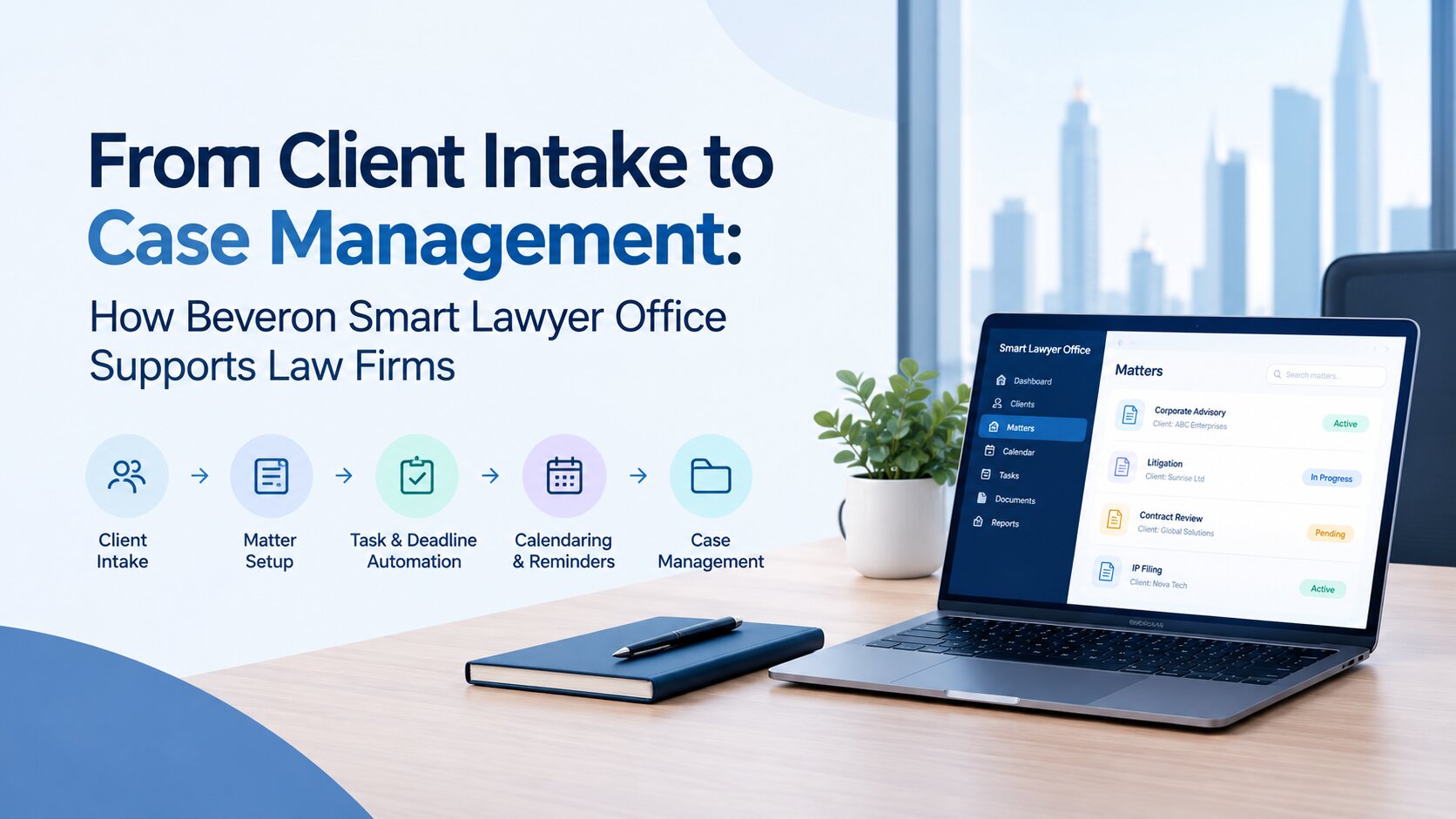
Rather than maintaining separate systems for case records, client information, hearing schedules, documents and billing activities, Smart Lawyer Office brings these functions together. Legal teams can manage litigation matters, legal consultancy work, client enquiries, KYC information and fee proposals within the same system. This provides a more organised way to manage matters from initial client contact through ongoing legal activities.
For firms handling multiple cases, the platform provides tools for managing hearings, tracking deadlines, assigning responsibilities and organising case-related documents. Its bilingual interface supports both Arabic and English, allowing legal professionals to work with information in either language. The software also includes document management, timesheets, billing, payment collection, client statements and trust accounting capabilities.
Smart Lawyer Office also incorporates AI capabilities to support legal work. These include AI-assisted drafting, document analysis, summarisation, intelligent assistants and workflow automation. Such features can help lawyers reduce time spent on repetitive activities while maintaining control over the review and approval of legal work.
Security and deployment flexibility are additional considerations. The platform provides role-based access controls and offers both cloud-based and on-premise deployment options. It also supports integrations with tools such as Microsoft Office, Outlook, Gmail, SharePoint, OneDrive, Google Drive, WhatsApp and other business systems, helping legal teams connect their existing working environment.
Whether a firm is looking to organise its litigation activities, improve lawyer coordination or establish more consistent administrative processes, Smart Lawyer Office offers capabilities that support these requirements. Firms can explore its different editions and evaluate the features relevant to their operational needs before making a decision.
To understand how the platform works, visit Beveron's Smart Lawyer Office for Saudi Arabia and request a product demonstration.
Frequently Asked Questions
1. What is law firm management software?
Law firm management software is a digital platform that helps legal practices organise their daily operations, including case management, client records, document storage, hearing schedules, task assignments, timesheets and billing. It provides a centralised environment where lawyers and administrative staff can manage legal matters and monitor ongoing activities.
2. What features should Saudi law firms look for in management software?
Saudi law firms should consider features such as centralised case management, court hearing and deadline tracking, document management, Arabic and English language support, client intake, KYC management, workflow automation, billing, reporting and secure access controls. Cloud and on-premise deployment options may also be important depending on the firm's IT infrastructure and data management requirements.
3. Why is Arabic language support important in law firm management software?
Arabic language support helps legal teams manage client records, documents and internal activities in a language commonly used in their working environment. For Saudi law firms dealing with Arabic-speaking clients and legal proceedings, bilingual functionality can improve accessibility and make collaboration easier when different team members work in Arabic and English.
4. Can law firm management software manage court hearings and deadlines?
Yes. Many law firm management platforms include hearing calendars, deadline tracking, automated reminders and case timelines. These capabilities help lawyers monitor upcoming hearings, filing dates, meetings and other important activities. They also provide better visibility into scheduled and pending work across the legal team.
5. Is cloud-based or on-premise software better for Saudi law firms?
Both options have advantages, and the right choice depends on the firm's requirements. Cloud-based software generally provides easier remote access and reduces the need for managing internal server infrastructure. On-premise software may be preferable for firms with specific internal hosting policies or infrastructure requirements. Before choosing, firms should evaluate security arrangements, data handling, accessibility and maintenance responsibilities.
6. How does AI improve law firm management?
AI can support legal teams through document summarisation, information analysis, drafting assistance and routine workflow automation. It can help lawyers process information more efficiently and reduce repetitive administrative work. However, AI-generated content and analysis should be reviewed by qualified legal professionals before being relied upon in legal matters.
7. How much does law firm management software cost in Saudi Arabia?
The cost depends on the software provider, number of users, selected features, deployment model and level of customisation. Some providers offer different editions for small, medium and large law firms, while others use subscription-based pricing. Firms should compare the complete cost of implementation, training, support and ongoing usage rather than considering the initial price alone.
Conclusion: Choosing the Right Law Firm Management Software in Saudi Arabia
Selecting law firm management software is an important decision that can influence how efficiently a legal practice operates. The right platform should do more than store case information. It should help lawyers manage matters, coordinate hearings, organise documents, communicate with clients and maintain visibility into their daily responsibilities.
For law firms in Saudi Arabia, bilingual functionality, secure information management, practical workflow automation and flexible deployment options deserve particular attention. It is equally important to consider ease of use, integration capabilities and whether the system can support the firm's future requirements.
Instead of choosing software based solely on the number of features it offers, evaluate how well it fits your existing legal processes and where it can make everyday work easier. Beveron's Smart Lawyer Office brings case management, client management, document organisation, billing and AI-supported capabilities into one platform, helping law firms establish more connected legal operations.
Explore Smart Lawyer Office and request a free demo to see how its features can support your law firm's requirements in Saudi Arabia.
Best law firm management software in Saudi Arabia
Best law practice management software in Saudi Arabia
Best legal case management software in Saudi Arabia
If you need a free demo of the best law firm management software in Saudi Arabia, please fill out the form.