Best Case Management Software in the UAE for Law Firms

Why Do Law Firms Need Better Case Management?
Managing a law firm involves much more than preparing legal documents and representing clients. Lawyers must keep case records organised, monitor court hearings and filing deadlines, coordinate tasks, maintain client communication and track billing. When several matters are active at the same time, keeping everything under control can become difficult.
Many firms begin with email, spreadsheets, shared folders and separate calendars. These tools can be useful, but problems arise when information is spread across different systems. A lawyer may have to search through old emails to find a document, ask a colleague for the latest case update or check several calendars before confirming a hearing date.
These small delays can affect the entire workflow. Staff spend more time looking for information, teams have less visibility into ongoing matters, and important tasks become harder to monitor consistently.
Case management software can help law firms bring essential information and workflows into a more organised system. For firms in the UAE, choosing the right solution starts with understanding how their teams work, where existing processes fall short and which capabilities will make a practical difference.
What Is Case Management Software for Law Firms?
Case management software is a digital platform that helps legal professionals organise and manage the information and activities associated with their cases. Depending on the system, it may include client records, case histories, legal documents, hearing schedules, task assignments, reminders, billing and reporting. Instead of relying on disconnected files and applications, a law firm can use a central system to make relevant case information easier to find and manage. Staff can spend less time searching for updates and more time completing legal and administrative work.
The purpose is not simply to digitise existing paperwork. A well-chosen case management system should support the way a firm handles matters from initial intake through ongoing case work, communication, billing and closure. However, not every platform offers the same capabilities. Law firms should evaluate the features available in each product against their actual requirements rather than assuming that every system includes every function.
Common Case Management Challenges Faced by Law Firms
Disorganised Case Information
When client details, case notes, correspondence and supporting documents are stored in different locations, finding the correct information can take longer than necessary. Staff may also have difficulty identifying the latest version of a document or understanding the current status of a matter. Centralised case records can make information easier to locate and help teams maintain a clearer view of their work.
Missed Hearings and Important Deadlines
Court dates, filing deadlines, meetings and internal tasks all require careful attention. Relying entirely on personal calendars or manual reminders can make coordination difficult, especially when several people work on the same matter. A suitable case management system can help teams record key dates, assign responsibility and monitor upcoming tasks. Staff should still verify critical dates and follow the firm's established checking procedures.
Delayed Communication and Limited Visibility
When case updates remain in individual inboxes or are shared informally, colleagues may not have a complete picture of what has happened. This can delay responses to clients and make it harder to coordinate work. Consistent case records and clear task ownership can improve internal visibility and help lawyers respond with better information.
Time-Consuming Administrative Work
Preparing invoices, updating spreadsheets, organising documents and compiling case reports can take time away from legal work. A system that supports these processes can reduce duplicate data entry and make routine administration more manageable. The actual time saved will depend on the firm's workflows, the software's capabilities and how consistently the team uses it.
What Should UAE Law Firms Look for in Case Management Software?
Choosing the best case management software in the UAE is not simply about finding a product with the longest feature list. Firms should focus on how well the system fits their legal workflows, information requirements and plans for growth.
Centralised Case and Client Records
Look for a system that lets authorised users access relevant client details, case histories, updates and related records from a consistent location. Before choosing a platform, consider how the firm opens new matters, assigns work, records progress and closes cases. The software should support these processes without making routine work unnecessarily complicated.
Legal Document Management
Documents are central to legal practice. A suitable system should make it practical to organise, retrieve and associate documents with the relevant matters. During a product demonstration, ask how documents are uploaded, searched, updated and accessed by different team members. Version management, permissions and document-handling workflows should be evaluated according to the firm's needs.
Hearing, Task and Deadline Tracking
Law firms need a reliable way to monitor important dates and outstanding work. Evaluate whether the software supports hearing schedules, task assignments, reminders and visibility into upcoming deadlines. Ask how notifications are configured, who can update dates and how the team can identify overdue tasks. These details matter more than simply seeing a reminder feature on a product list.
Billing and Financial Records
For firms that manage billing within their practice workflows, financial features can help connect legal work with invoicing and payment records. Check whether the available functionality suits the firm's billing arrangements, reporting needs and existing accounting processes. Do not assume that every case management platform provides the same invoicing or financial integrations.
Access Controls and Data Protection
Legal records can contain confidential client information. Before selecting a platform, understand how user access is managed, what security controls are available, how backups and recovery are handled, and what options exist for data storage and export.
UAE law firms should also assess the data protection and professional obligations relevant to their particular practice. Ask the provider for clear documentation about security measures, data location, access permissions and contractual responsibilities. A software product should not be assumed to guarantee regulatory compliance on its own.
Reporting and Workflow Visibility
Useful reporting can help partners and practice managers understand active matters, outstanding tasks, workloads and other operational information. Identify which reports the firm needs before evaluating a system. During a demonstration, ask whether the relevant information is available directly, requires configuration or must be compiled separately.
Ease of Use and Implementation
Even a feature-rich platform may deliver limited value if staff find it difficult to use. Consider how easily lawyers and administrative teams can learn the system, whether existing records can be migrated, what training is available and how support is provided. A phased rollout may help the firm introduce the system without disrupting essential work.
How Can Case Management Software Improve Daily Legal Work?
The value of case management software becomes clearer when it is considered in the context of everyday activities. When a new matter is opened, centralised records can help staff capture client details and organise the information associated with the case. As work progresses, authorised team members can refer to the relevant records, update tasks and maintain case information in a consistent place.
When a hearing or filing deadline approaches, recorded dates and configured reminders can help staff prepare in advance. During internal handovers, shared case information can reduce the need to reconstruct progress from separate email conversations. Where billing and reporting features are available, the firm may also be able to connect administrative activities with its wider practice management process.
These improvements depend on the system selected and the firm's working practices. Software works best when the team follows consistent procedures, keeps records up to date and assigns clear responsibility for important tasks.
How Smart Lawyer Office Supports Law Firm Case Management
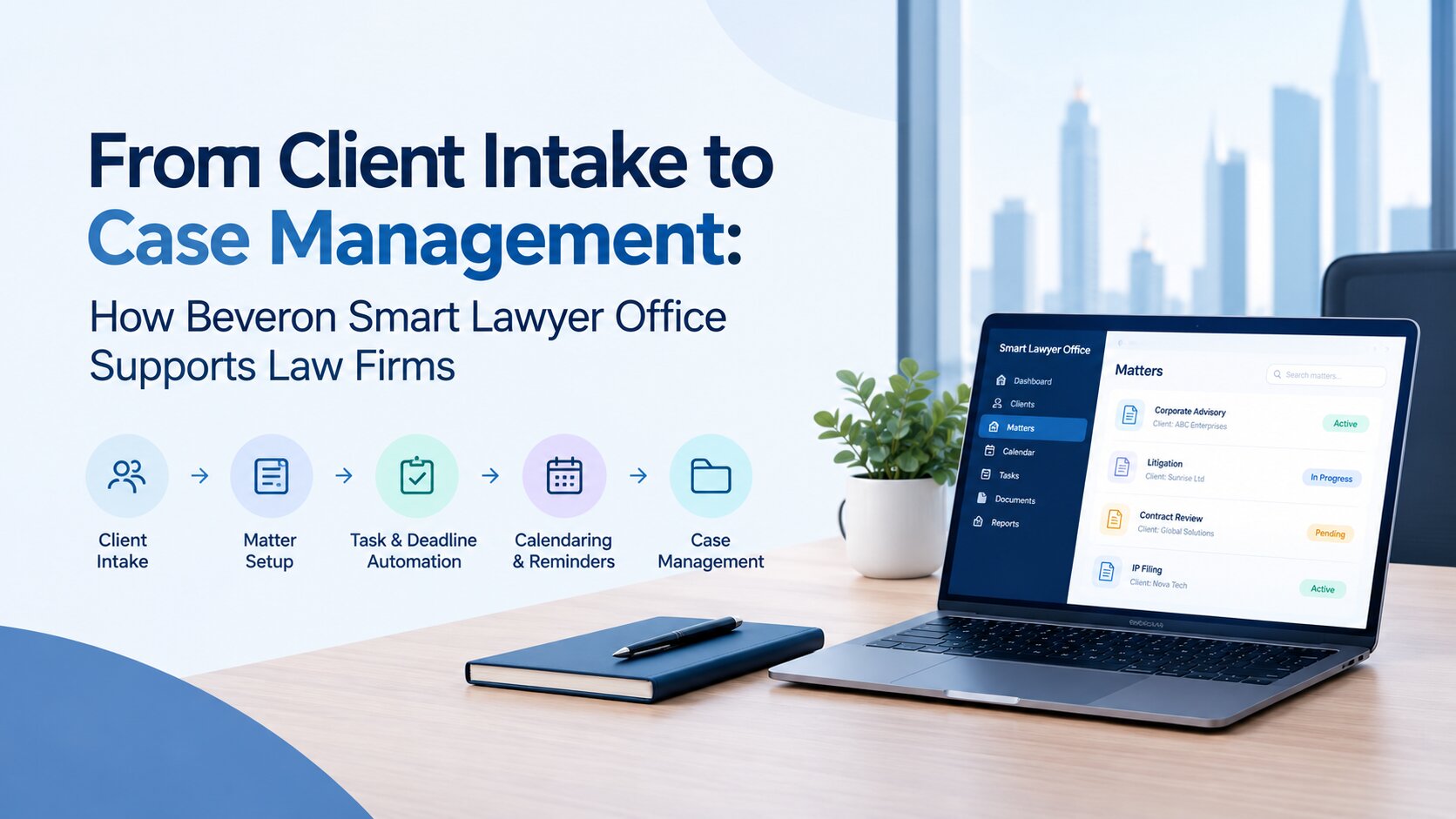
Smart Lawyer Office by Beveron Technologies is designed to support law firm management and case-related workflows. It is a relevant option for firms looking to organise case information and bring important administrative activities into a more structured system. Its case management capabilities can help firms organise case details, client information and case history. Document management supports the organisation and retrieval of legal files, while task and deadline tracking can help teams monitor important dates and responsibilities.
The platform also addresses administrative requirements such as billing and invoicing, alongside workflow management. These capabilities can help a firm assess whether it can manage more of its daily work through one system instead of relying on several disconnected tools.
Before adopting any platform, a law firm should confirm that the available features, security arrangements, configuration options and implementation support meet its specific requirements. A demonstration is a practical way to walk through actual workflows and identify whether the software fits the firm's operations.
To explore the platform, visit Smart Lawyer Office case management software.
How to Choose the Right Case Management System for Your Firm
Before making a decision, document the processes that cause the most difficulty today. These might include retrieving case documents, coordinating hearing dates, following up on assigned tasks, preparing invoices or sharing updates between lawyers. Next, create a shortlist of requirements and separate essential features from optional ones. Ask each provider to demonstrate the workflows that matter to the firm instead of relying only on a general product presentation. This makes it easier to understand how the software would work in practice.
The evaluation should also cover total costs, implementation effort, user training, technical support, security arrangements and the ability to export records when needed. If the firm already uses accounting, document storage or communication tools, confirm how those systems would fit into the proposed setup.
Finally, involve the people who will use the software every day. Feedback from lawyers, partners and administrative staff can reveal practical issues that may not be obvious during an initial evaluation. The right system is one that meets the firm's requirements and can be adopted consistently, not simply the one with the most features.
Conclusion
Managing legal matters through scattered documents, separate calendars and manual processes can make everyday work harder to coordinate. Case management software offers a way to organise case information, track important activities and improve visibility across a firm's operations. For law firms in the UAE, the decision should be based on practical workflow requirements, document handling, deadline management, security, implementation and ease of use. Taking time to evaluate these areas helps firms choose a solution that supports their work without adding unnecessary complexity. Smart Lawyer Office is one option to consider when assessing case management software for a law firm. Explore its capabilities and see how they align with your team's requirements.
Frequently Asked Questions
1. What is the best case management software for law firms in the UAE?
The best case management software depends on a firm's size, workflows, budget and operational requirements. Law firms should evaluate features such as case tracking, document management, hearing and deadline reminders, billing, reporting and data security. Smart Lawyer Office by Beveron Technologies is one option to consider when comparing solutions for legal practice management.
2. What features should law firms look for in case management software?
Law firms should look for centralised case and client records, legal document management, task assignment, hearing and deadline tracking, billing and invoicing, reporting, and appropriate access controls. The right combination depends on the firm's daily workflows and the features supported by the software.
3. How does case management software help lawyers save time?
Case management software can reduce time spent searching for documents, updating separate records, coordinating tasks and tracking deadlines manually. By keeping relevant information organised and supporting routine workflows, it helps lawyers and administrative staff manage their work more efficiently.
4. Is case management software suitable for small law firms in the UAE?
Yes. Small law firms can benefit from case management software when manual processes become difficult to manage as the number of cases grows. Before choosing a system, firms should consider affordability, ease of use, essential features, implementation requirements and the ability to accommodate future growth.
5. How can UAE law firms protect confidential information when using case management software?
Law firms should evaluate user access controls, authentication options, data encryption, backup and recovery arrangements, data storage locations and the provider's security documentation. They should also assess the applicable UAE data protection and professional obligations. Using software alone does not automatically guarantee compliance.
6. Can I request a demo of Smart Lawyer Office?
Yes. Law firms interested in Smart Lawyer Office can visit the Beveron case management software page to explore the solution and request a demo. A demonstration can help the firm assess how the available features fit its case management and administrative workflows.
Ready to evaluate Smart Lawyer Office for your firm? Request a free demo to discuss your case management workflows and assess whether the platform is a suitable fit.
Best case management software in UAE
Best legal case management system in UAE
Best law firm case management software in UAE
If you need a free demo on the best case management software in UAE, please fill out the form.