Inside the Rollout: How a Saudi Holding Company Synced In-House Legal Counsel Software with SharePoint Document Libraries
Client Background: A Multi-Subsidiary Holding Company in Saudi Arabia
A diversified holding company based in Saudi Arabia, operating across real estate, manufacturing, and trading subsidiaries, managed thousands of legal documents across disconnected SharePoint sites and departmental drives. Contracts, board resolutions, and compliance records were stored inconsistently across business units, making it difficult for the legal team to locate the right version of a document when it mattered most. The company needed in-house legal counsel software that could integrate directly with its existing Microsoft SharePoint environment rather than replace it, preserving prior investment while solving the underlying document chaos.
Legal Operations Efficiency in Saudi Arabia
For broader context on how Saudi organizations are streamlining legal operations, explore this guide on the Saudi Arabia Legal Ops Playbook.
The Challenge: Fragmented Document Storage Across Business Units
What problem does in-house legal counsel software solve for holding companies with multiple SharePoint sites?
Holding companies with multiple subsidiaries typically operate separate SharePoint instances for each business unit. Without a unifying layer, legal teams face:
- Duplicate contract versions stored in different SharePoint libraries with no single source of truth
- Manual, time-consuming searches across subsidiaries to locate active agreements
- No audit trail linking legal documents to their originating matter or approval history
- Compliance risk from outdated or superseded documents remaining in active folders
- Limited visibility for group-level legal counsel into subsidiary-level contract activity
The holding company's legal team estimated that locating a single contract across subsidiaries could take up to two hours, and in several cases, staff worked from outdated document versions because there was no centralized indexing system.
The Solution: Beveron Smart Legal Counsel with Native SharePoint Integration
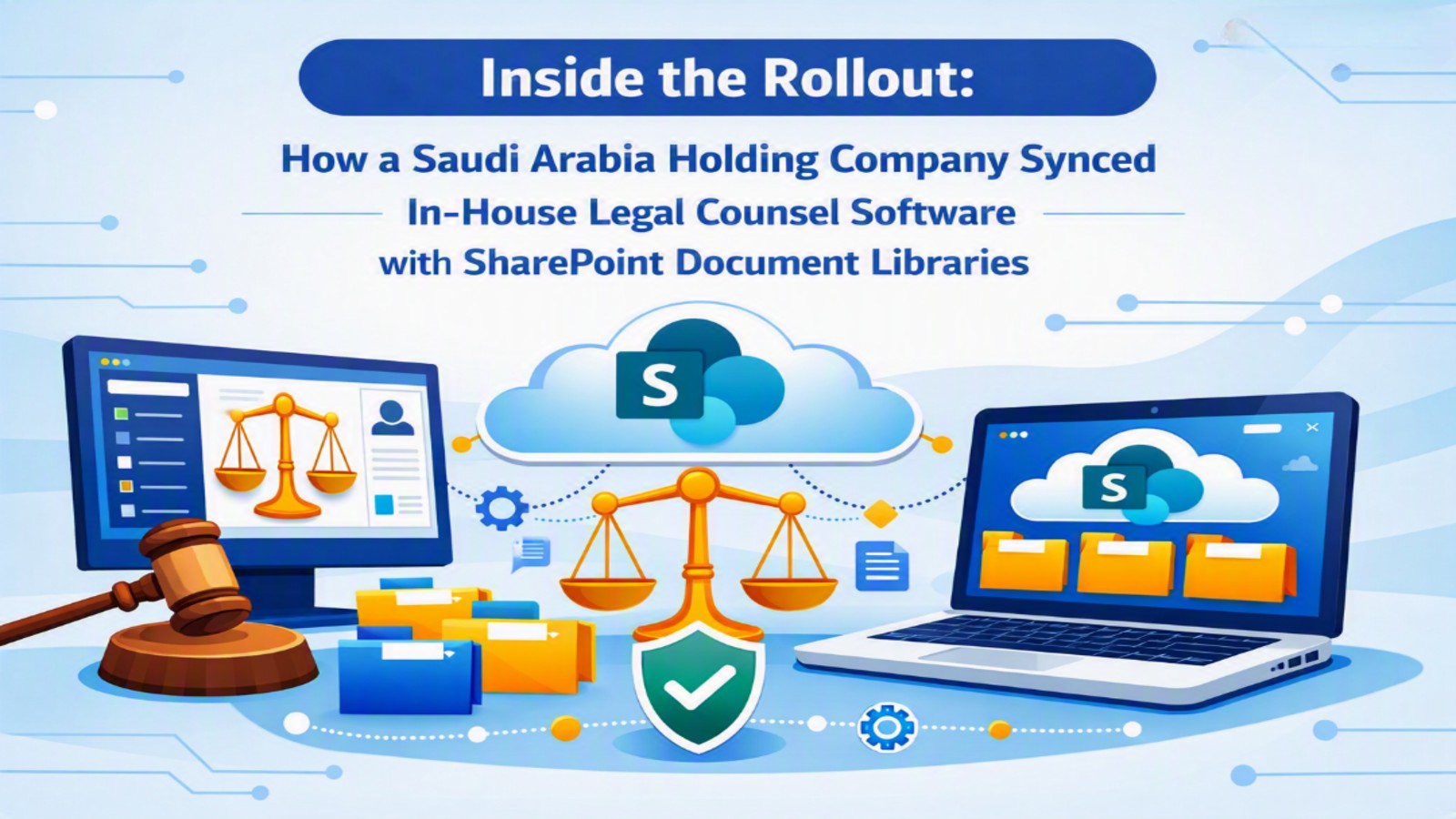
Beveron Smart Legal Counsel was selected as the in-house legal counsel software to address this specific integration gap. Rather than requiring the company to migrate away from SharePoint, Beveron Smart Legal Counsel connects directly to existing SharePoint document libraries, allowing the legal team to retain their familiar Microsoft environment while gaining structured legal document management on top of it.
Key features that addressed the holding company's specific challenges:
- Native SharePoint synchronization — legal documents remain stored in SharePoint but are indexed, tagged, and made searchable through the legal counsel software
- Centralized matter-to-document linking — every contract, dispute record, and compliance file is tied to its corresponding legal matter, eliminating orphaned documents
- Version control and audit trails — automatic tracking of document revisions, approvals, and access history across all connected subsidiaries
- Role-based access permissions — group legal counsel gains oversight across subsidiaries while subsidiary teams retain appropriate access boundaries
- Full Microsoft Office integration — documents can be opened, edited, and saved directly from Word or Outlook without leaving the existing workflow
Accelerating Legal Decisions in Saudi Corporate Teams
Phased technology rollouts are a recurring theme among Saudi corporate legal teams. Read this blog on how Saudi legal teams are resolving approval bottlenecks with Smart Legal Counsel.
Implementation Approach
The rollout was executed in three phases over eight weeks:
- Discovery and mapping (Weeks 1–2): Beveron's implementation team audited the holding company's existing SharePoint architecture across all subsidiary sites, identifying document libraries, permission structures, and naming conventions.
- Integration and indexing (Weeks 3–5): Beveron Smart Legal Counsel was connected to each SharePoint site, with automated tagging rules configured to classify documents by matter type, subsidiary, and contract status without disrupting existing folder structures.
- Training and go-live (Weeks 6–8): Legal staff across subsidiaries were trained on searching, retrieving, and updating documents through the integrated interface, with group legal counsel onboarded separately on cross-subsidiary reporting views.
The Results
Within three months of full deployment, the holding company reported measurable operational improvements:
- 70% reduction in average document retrieval time, from roughly two hours to under 30 minutes
- 100% of active contracts indexed and linked to their corresponding legal matter across all subsidiaries
- Zero duplicate-version incidents reported in the six months following rollout, compared to a recurring monthly issue beforehand
- Group-level visibility into subsidiary contract activity, previously unavailable without manual reporting requests
- Full retention of the existing SharePoint investment, with no data migration or loss of historical records
"We didn't want to abandon SharePoint — we wanted it to actually work for legal. Beveron gave us that without disrupting how our teams already worked." — General Counsel, Saudi Arabia Holding Company
Vision 2030 and Legal Technology Adoption
This integration reflects a broader national trend in enterprise legal technology adoption. Discover how this case study helped explain how Vision 2030 is driving Saudi enterprises toward in-house legal counsel software.
Frequently Asked Questions
Does in-house legal counsel software replace SharePoint?
No. Beveron Smart Legal Counsel integrates with SharePoint rather than replacing it, indexing and structuring existing document libraries so legal teams retain their current Microsoft environment while gaining legal-specific document management.
How long does a SharePoint integration rollout typically take?
For a multi-subsidiary organization, a phased rollout covering discovery, integration, and training typically takes six to eight weeks, depending on the number of SharePoint sites and the complexity of existing folder structures.
Can group-level legal counsel see subsidiary contracts after integration?
Yes. Role-based access permissions allow group legal counsel to view contract activity across subsidiaries while subsidiary-level teams retain access only to their own documents.
What happens to existing SharePoint documents during migration?
No documents are moved or migrated. Documents remain in their original SharePoint libraries and are indexed and tagged in place, preserving historical records and version history.
Is this approach specific to holding companies, or does it apply to other enterprises?
While this case study focuses on a holding company with multiple subsidiaries, the same integration approach applies to any enterprise using SharePoint for document storage, including single-entity organizations seeking centralized legal document control.
Explore Beveron's Legal Sector Solutions
To see how Beveron supports legal teams across industries beyond this case study, learn more about this solution on the how we help the legal sector page.
Ready to Bring Structure to Your Legal Documents?
If your legal team is managing contracts and records across disconnected SharePoint sites, Beveron Smart Legal Counsel can help you centralize document management without disrupting your existing Microsoft environment.
Website: www.beveron.com
Email: info@beveron.com
Best in-house legal counsel software in Saudi Arabia
Best corporate legal case management software in Saudi Arabia
Best legal software for corporate counsel in Saudi Arabia
If you need a free demo on the best in-house legal counsel software in Saudi Arabia, please fill out the form below.