How to Implement Workflow Automation: Step-by-Step for Legal Teams

Legal teams today face increasing pressure. Rising caseloads, strict compliance requirements, and clients who expect faster responses are making legal work more complex than ever.
Many legal professionals still spend a large portion of their time on repetitive administrative tasks such as contract review, matter intake, document organization, and invoice verification. These tasks are necessary, but they take time away from strategic legal work.
Workflow automation helps address this challenge by streamlining routine processes and reducing manual effort. In 2026, many law firms and legal departments are adopting AI-enabled automation tools that can support tasks such as contract analysis, e-discovery, compliance checks, and document classification.
Industry reports show that legal teams implementing automation are seeing efficiency improvements and operational cost reductions of around 20–40%. More importantly, automation allows lawyers to focus on higher-value work such as legal strategy, negotiation, and advisory services.
This guide explains how legal teams can successfully implement workflow automation step by step.
Assess Your Needs
The first step in implementing workflow automation is understanding how your current processes work. Before adopting new tools, legal teams should carefully analyse their existing workflows to identify inefficiencies and bottlenecks.
Start by mapping key legal processes such as:
- Contract drafting and review
- Compliance monitoring
- Matter intake and case classification
- Invoice and billing review
- Document management
Understanding where delays occur will help determine which processes are best suited for automation.
Some useful approaches include:
Gather team feedback - Speak with lawyers, legal operations professionals, and administrative staff. Workshops or surveys can help identify tasks that consume excessive time.
Measure time spent on manual work - Track how long it takes to complete tasks such as contract review. In many organisations, lawyers spend 10–20 hours reviewing a single contract manually.
Prioritise high-impact processes - Focus on two or three processes that offer the greatest potential benefits. Examples include e-discovery triage, compliance monitoring, or contract approval workflows.
In regions such as India, the UAE, and Australia, legal teams are often relatively lean. Automating routine workflows can significantly improve productivity without increasing team size.
Select the Right Tools
Once your needs are clear, the next step is choosing the right technology. Legal workflow automation tools should be scalable, secure, and easy to integrate with existing systems such as case management software, document repositories, and billing systems. Modern legal technology platforms often include AI-enabled features that support more accurate and efficient workflows.
When evaluating tools, consider:
- Cloud-based platforms that allow remote access and collaboration
- AI-assisted document analysis for faster review
- Automation rules that trigger tasks based on defined conditions
- Integration capabilities with existing legal software
- Data security and compliance features
Below are some common types of legal automation tools:
Tool Type | Examples | Best For |
End-to-End Platforms | CoCounsel, Nexlaw | Contract-to-approval workflows |
E-Discovery Tools | Everlaw cloud solutions | Large-scale document review |
Legal Operations Automation | Wolters Kluwer AI workflows | Spend analysis and billing |
Custom Robotic Process Automation | UiPath for legal | Structured processes such as debt recovery |
Choosing tools that integrate well with your existing systems helps ensure smooth data flow and better operational visibility.
Build and Test Workflows
After selecting a platform, the next step is designing your automation workflows. Automation should be implemented gradually and include human oversight for critical legal decisions.
A typical implementation process may look like this:
1. Map the process—Create a clear workflow diagram from start to finish. For example, when a new contract arrives, the system can automatically analyse it, flag potential risks, and assign it to a reviewer.
2. Configure automation rules—define triggers that start automated actions.
For example: New matter filed → automatic classification → document search → reviewer notification.
3. Start with a pilot project—Instead of rolling automation across the entire firm immediately, test it with a smaller dataset—such as 10 to 20 cases or contracts.
Measure results such as time saved, accuracy, and user satisfaction.
4. Improve and refine workflows—Gather feedback from users and adjust workflows accordingly. This might include improving AI accuracy, modifying approval steps, or adjusting compliance checks for regional regulations.
For example, in e-discovery processes, AI can analyse large datasets in hours rather than weeks, highlighting the most relevant documents for legal teams.
Stage | Pre-Automation | Automated |
Intake | Manual classification | AI-based categorisation |
Review | Full document review | Targeted highlights |
Approval | Email chains | Automated routing |
Train and Roll Out
Technology adoption succeeds only when teams are comfortable using it. Training and gradual rollout help ensure that legal professionals understand how automation improves their work rather than replacing it.
Best practices include:
Provide practical training sessions—hands-on demonstrations help lawyers understand how automated workflows function in real situations.
Create simple user guides—Short, quick-start guides can help teams quickly learn common tasks such as reviewing AI-flagged contract risks or checking invoice anomalies.
Appoint internal champions—legal operations leaders or tech-savvy lawyers can act as internal experts who assist colleagues during adoption.
Track performance metrics—measure improvements such as processing time, error reduction, and workload efficiency. Many firms aim for 20–40% efficiency improvements within the first quarter.
When legal teams see how automation reduces administrative work, resistance typically decreases. Lawyers can then spend more time on strategic legal analysis and client advisory work.
Scale and Optimize
Once the pilot phase delivers positive results, automation can be expanded across the organization. At this stage, the focus shifts to integrating multiple workflows and continuously improving efficiency.
Some ways to scale automation include:
- Extending automation to recruitment screening or compliance monitoring
- Automating debt recovery workflows
- Using analytics dashboards to monitor performance in real time
- Integrating systems for unified legal operations
Regular reviews are also important. AI models should be periodically audited to ensure accuracy and compliance with regulatory standards.
As the global legal technology market continues to expand, legal teams that invest in automation will be better positioned to manage growing workloads and evolving regulatory environments.
Supporting Workflow Automation with the Right Technology Partner
Successfully implementing workflow automation requires not only the right tools but also the right technology partner.
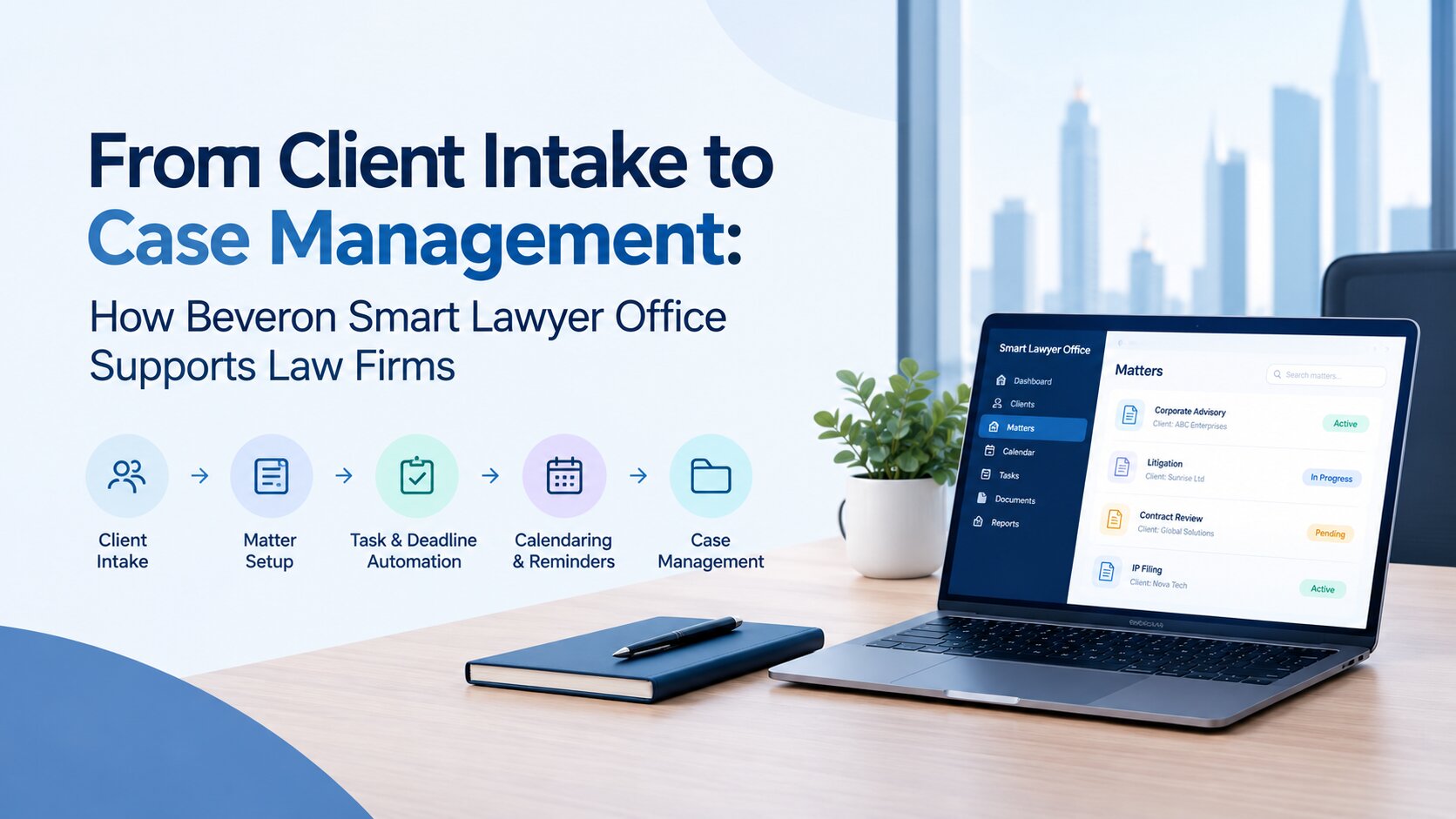
Solutions developed by Beveron Technologies, such as Smart Lawyer Office, are designed to help legal teams simplify automation adoption and streamline complex legal operations. These platforms support workflows such as contract lifecycle management, compliance monitoring, e-discovery processes, and operational analytics within a unified environment.
Their approach focuses on helping organizations digitise workflows such as contract lifecycle management, compliance monitoring, e-discovery processes, and operational analytics.
Key capabilities include:
- Pre-built workflow templates that simplify implementation
- Compliance-focused automation tailored to regional regulations
- Integration with legal platforms and automation tools
- Analytics dashboards that track efficiency and performance improvements
With structured implementation support, legal teams can transition from manual processes to automated workflows more smoothly.
Final Thoughts
Workflow automation is quickly becoming an essential capability for modern legal teams. By automating repetitive tasks such as document classification, compliance monitoring, and contract review, legal professionals can significantly improve operational efficiency while maintaining accuracy and compliance.
The key to success lies in carefully assessing needs, selecting the right tools, testing workflows, and gradually scaling automation across the organization. As legal work continues to grow in complexity, automation will play a critical role in helping legal teams operate more efficiently, reduce costs, and focus on delivering high-value legal expertise.
Ready to Simplify Your Legal Workflows?
Start with Beveron—reduce manual work, improve efficiency, and manage your legal operations better.
Best workflow automation software for legal teams
Best AI workflow automation for law firms
Best legal operations management tools
If you need free demo on the best workflow automation software for legal teams, please fill the form below.